Ship Real Products.By Vibecoding.
DevMesh is the vibecoding app for builders. Run Claude Code, Codex, OpenCode or Pi side by side, each in its own worktree, all in one window. You stay in control. The agents do the typing.
Take DevMesh for a spin.
Hit Launch swarm… and watch a coordinator split the work between builders and reviewers, live in the Topology view. Or open a grid of agents, reply to any of them, run the Board, and review diffs. It all runs in your browser.
You bring the vibe. The agents bring the code.
Vibecoding is a new way to ship software: you describe what you want in plain English, and AI agents write, test and land the code in your repo. DevMesh is the app built for it: parallel agents, terminals, a browser and code review in one window, all driven by your prompt.
Type the goal, not the plan.
Describe the feature, the bug, the side project. Send it to one agent or fan it out to five, each in its own git worktree and branch.
See the work happen.
Every agent's terminal, status and diff sits in one window. You can see at a glance who's running, who's done and who needs you.
Stay in the driver's seat.
Comment on a diff line, point at a UI element in Design Mode, or take the keys yourself. Then merge the run you like best.
Built for the moments where ceremony loses.
Three moments where DevMesh earns its keep: the overnight build, the real deadline and the grind nobody wants. You prompt, you review, you ship.
Friday idea, Monday link
Weekend spark, weekday repo. Start a few agents before bed and wake up to a working build you can share at standup.
MVP on a real deadline
Demo's Friday and the board has 14 issues on it. Open a worktree from each GitHub or Linear issue, run them in parallel, and review them one by one.
The grind nobody wants
The migration. The renderer rewrite. The auth refactor. Run it on a big remote box over SSH, walk away, and come back to diffs you actually want to review.
One app. Every agent.
Run Claude Code, Codex, OpenCode or Pi side by side, each in its own worktree, all tracked in one window. Here's what's inside.
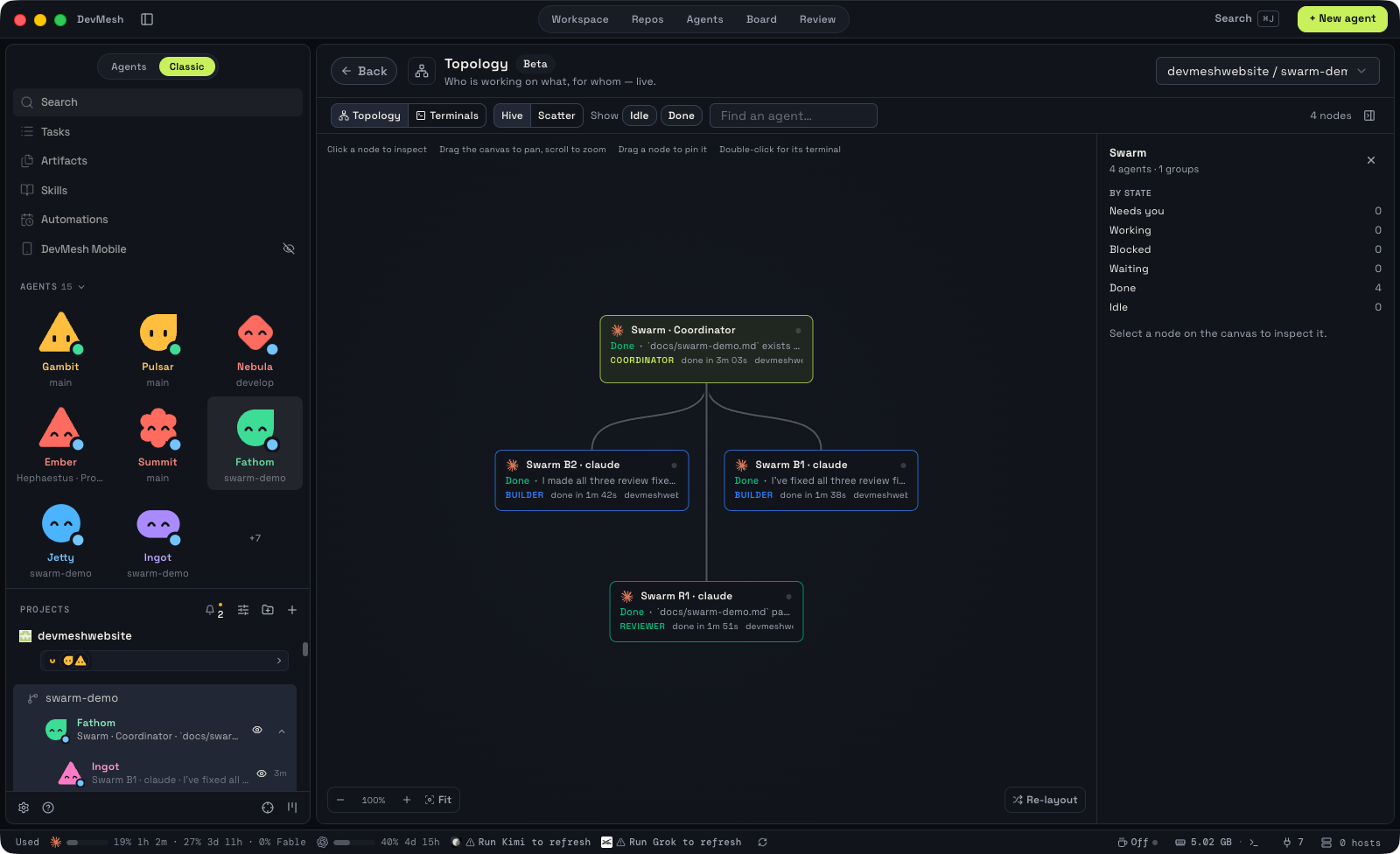
Swarms & Topology
A whole team of agents, live
Launch a swarm: a coordinator splits your objective between builders and reviewers, gates every build on a review, and merges only when everything passes. Topology shows who is working on what, for whom, live.
- Launch swarm
- Review-gated
- Only the coordinator merges
Parallel Worktrees
One prompt, many agents
Send one prompt to several agents at once. Each runs in its own isolated git worktree, so they never touch each other's files. Compare the results and merge the best one.
- Isolated by default
- Any CLI agent
- Compare and merge
Terminal Splits
Terminals that keep up
Fast WebGL terminals you can split as many times as you like. Scrollback survives restarts, so a crash or a quit never costs you a running session.
- WebGL rendering
- Infinite splits
- Scrollback that survives
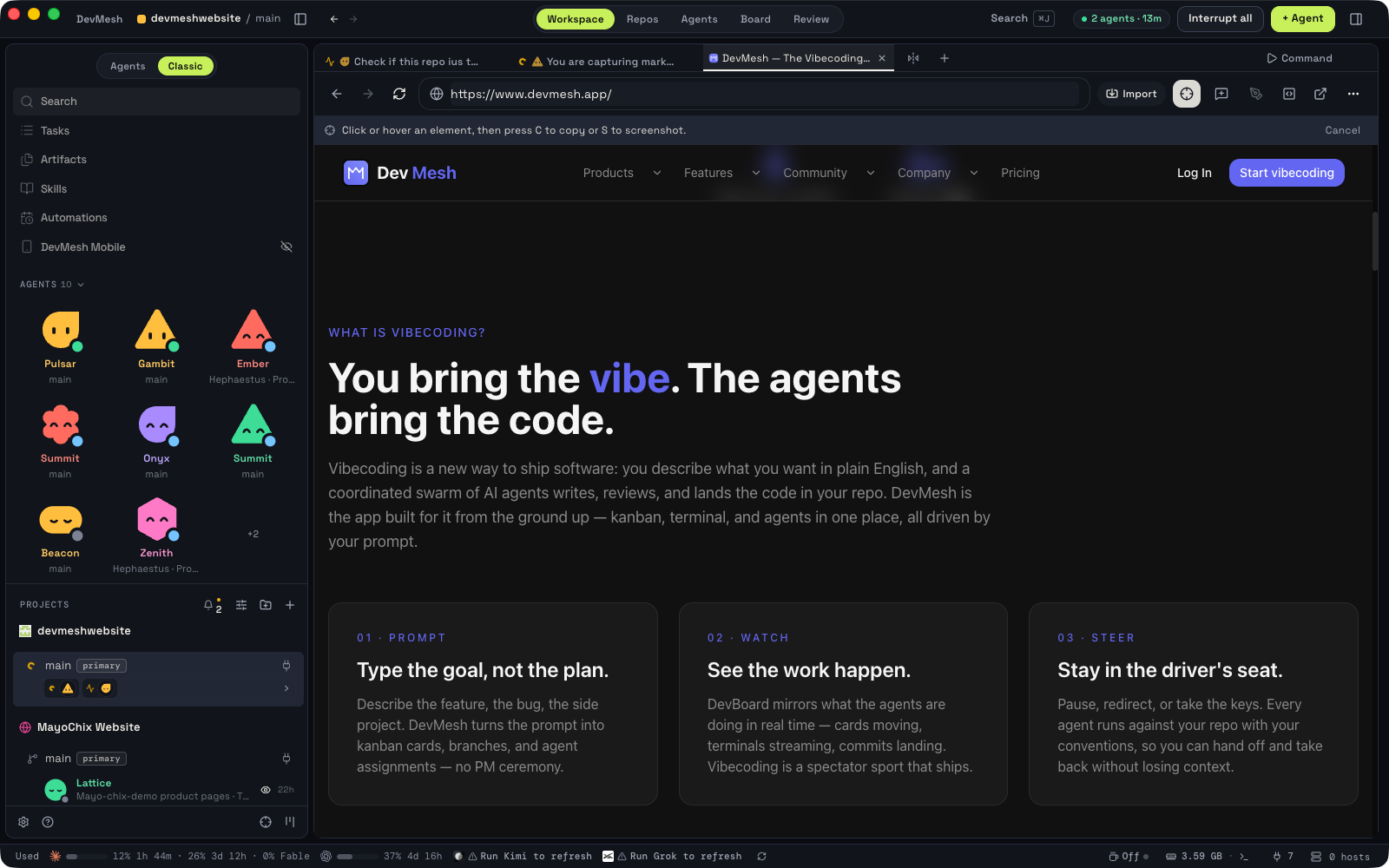
Design Mode
Point at the UI, not at the code
Click any element in DevMesh's built-in Chromium browser. Its HTML, CSS and a cropped screenshot go straight into your agent's prompt, so you can say what to change without finding the file first.
- Real Chromium
- Pick, don't describe
- Context included
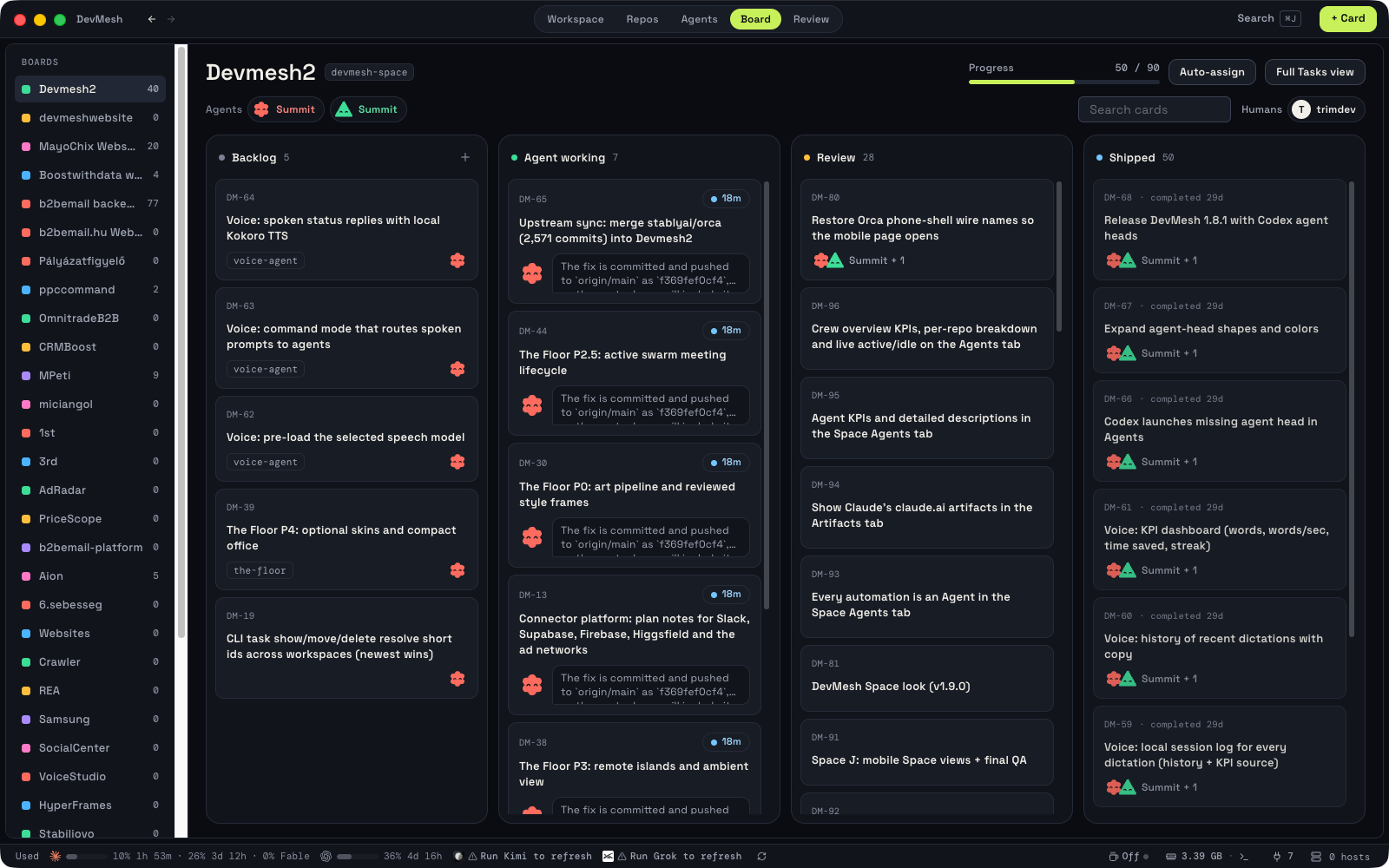
GitHub & Linear
Your tracker, in the app
Browse pull requests, issues and Linear project boards without leaving DevMesh. Open a worktree from any task and review the result in the same window.
- PRs and issues
- Linear boards
- Task to worktree
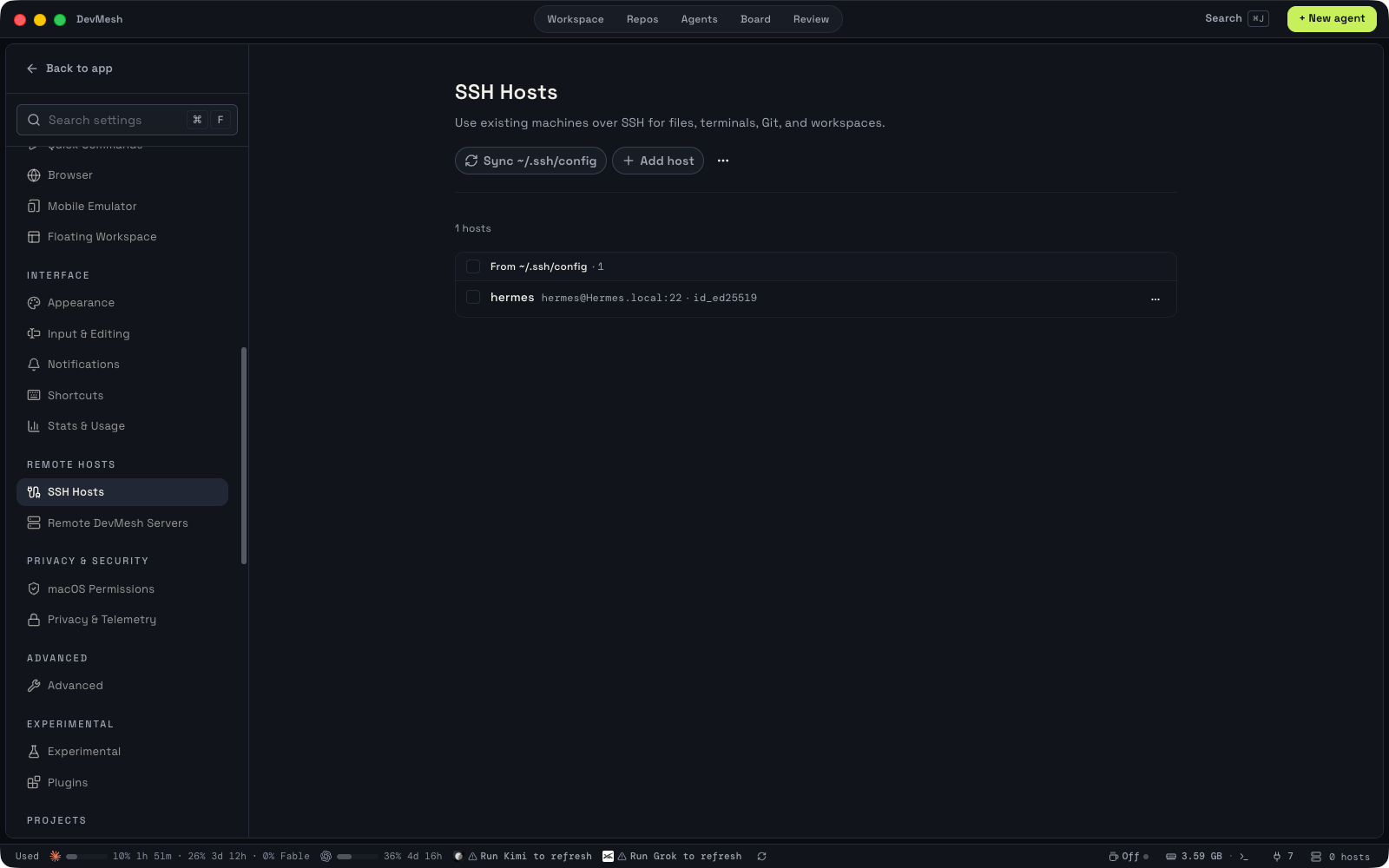
SSH Worktrees
Your agents, on a bigger machine
Run agents on a powerful remote machine with full file editing, git and terminals over SSH. Connections reconnect on their own and ports are forwarded for you.
- Full remote workspace
- Auto-reconnect
- Port forwarding
Annotate AI Diffs
Review like a pull request
Leave comments on any line of an agent's diff and send them straight back to that agent. Review, edit and commit without leaving DevMesh.
- Line comments
- Back to the agent
- Edit in place
Stop typing. Start vibecoding.
Every agent, every worktree, one app. Open your repo and start the first one.